KeyCRM integrates with Telegram and a Telegram bot, so once you connect them, you can take orders and communicate with customers all in one window.
How to create a Telegram bot
In your Telegram account, type «BotFather» into the search bar and select the one marked with a blue badge. Or simply follow this link: https://t.me/BotFather.
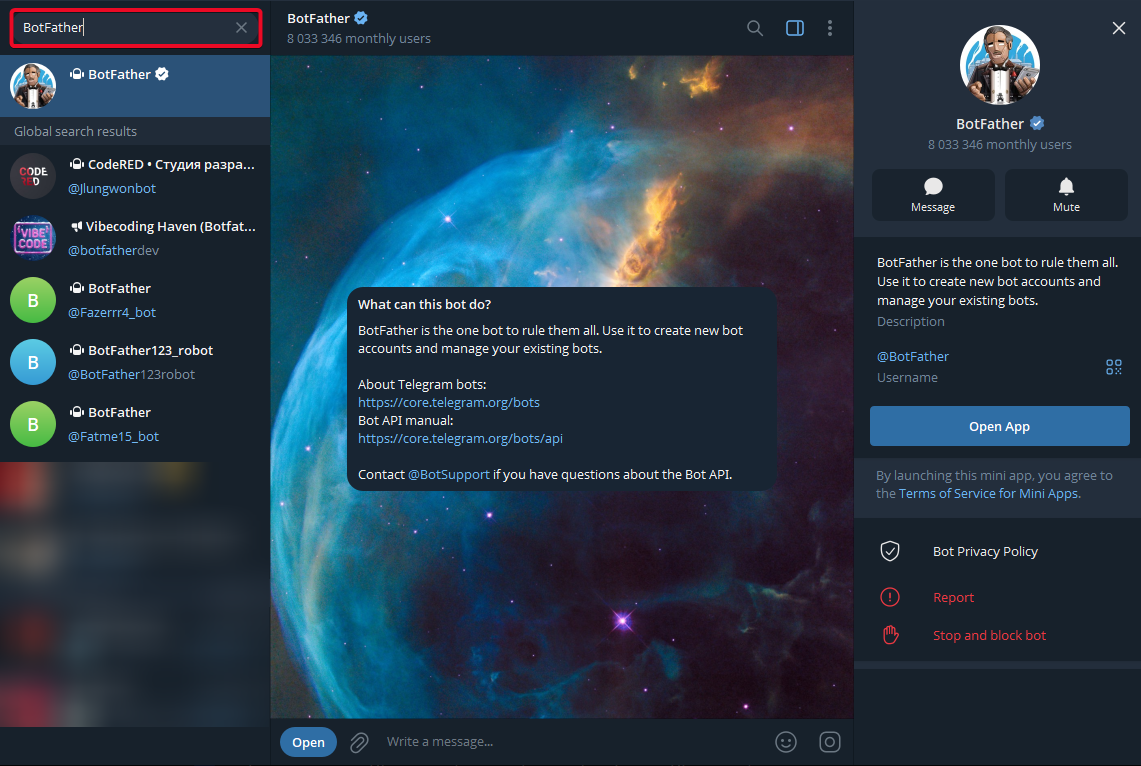
Follow these steps:
-
Click Start;
-
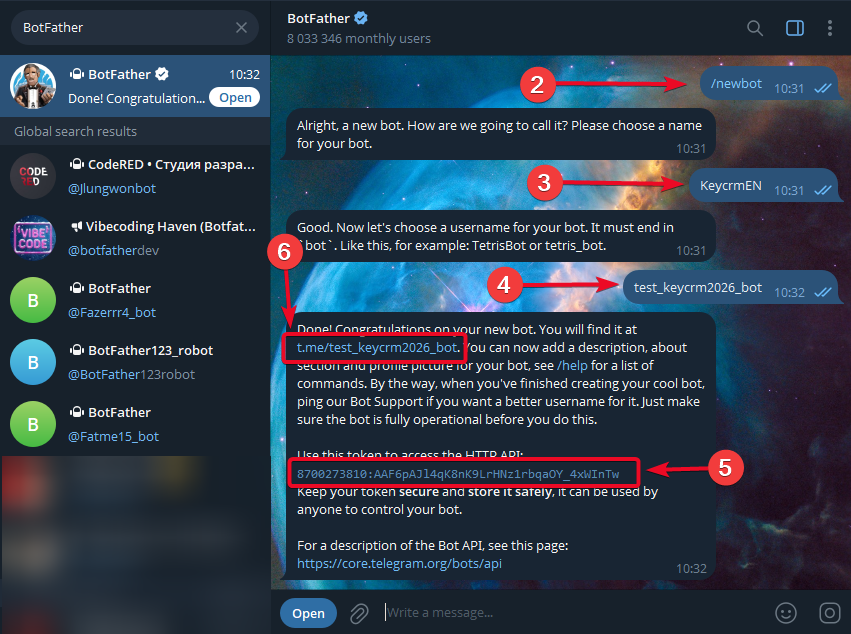
Type the command /newbot, or select the desired command from the Menu;
-
Come up with and enter a name for the bot; ideally, this should be the name of your store or brand, as this is what will be displayed when communicating with customers. For example, Best Dresses Shop or Your Friend EcoFood. You can change it yourself at any time;
-
Specify the username — this is the name that will appear in the link to the bot and will also be used to search for it in Telegram. Main requirements: uniqueness and ending with the suffix «bot»;
Note! Once created, you cannot change the username. If you want a different @username, the only option is to create a new bot via BotFather. This is a restriction imposed by Telegram itself, over which we have no control. -
You will receive a message containing a token; be sure to save it, as you will need it to connect the Telegram bot to KeyCRM. You will also need it to create new assistant bots that perform various tasks;
-
Be sure to activate your bot. To do this, open it by clicking the link in the message or find it using the search function with the username. Then click the Start button to launch it.
@BotFather has a settings menu for your bot; to edit it, click on Menu and select the desired command:
-
/setname - change the bot's name;
-
/setdescription - change the bot's description;
-
/setabouttext - change the bot's information;
-
/setuserpic - change the bot's profile picture;
-
/setcommands - change the list of commands;
-
/deletebot - delete the bot;
-
/token - create a new authorization token.
The bot can be connected to only one service!
