Integrating SMS Club with keyCRM will allow you to:
-
send SMS messages to customers who do not use messaging apps;
-
set up automatic SMS sending;
-
send SMS messages to customers manually;
-
create templates for SMS messages, with automatic insertion of data from orders, pipelines, and customers.
Step 1. Preparations before connecting in the SMS Club cabinet
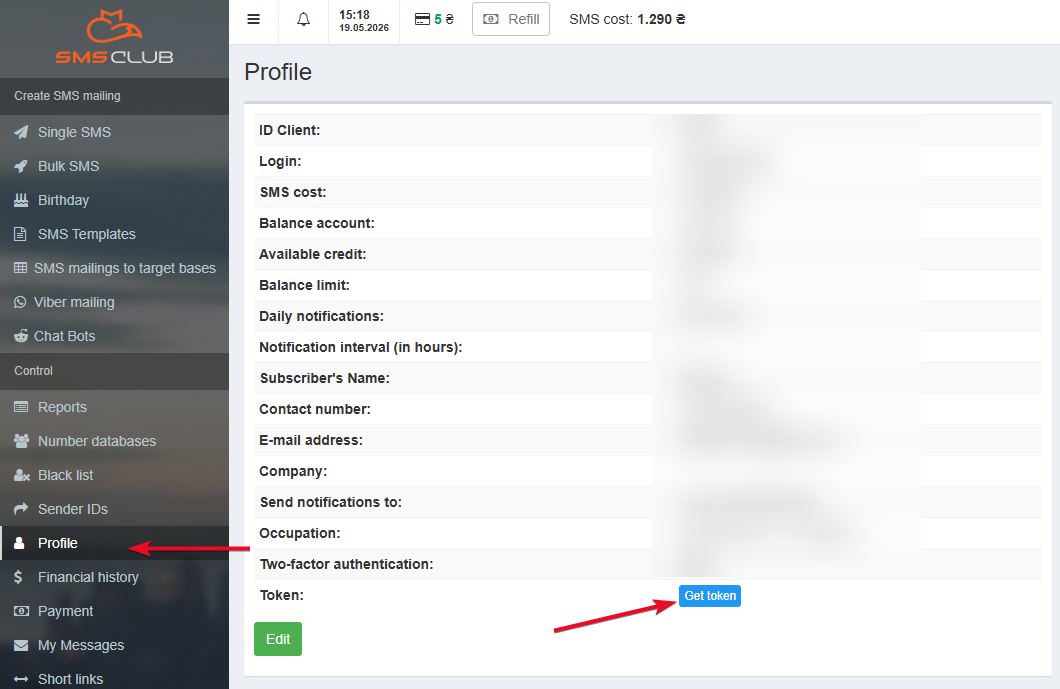
Go to your SMS Club account, click on «Profile» in the side menu, and copy your token (API key):
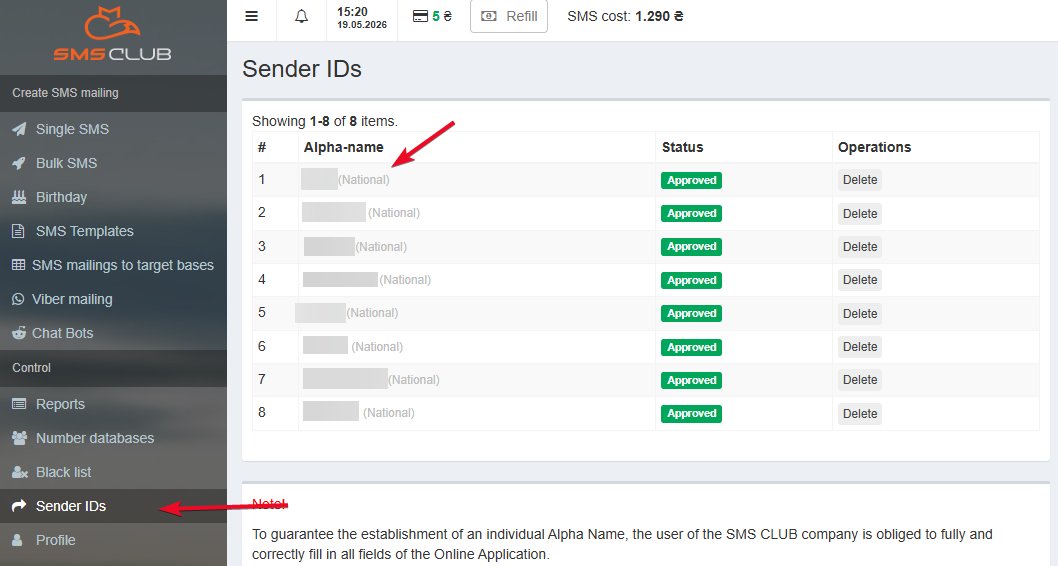
Next, go to the «Sender IDs» tab and copy the name you want to link to keyCRM:
Step 2. Connecting SMS Club to keyCRM
Go to «Settings» → «Communications» → the «Chats / SMS / Email» tab. A list of connected channels will appear in this section. At the bottom of the list, click «Add new channel»
In the open window:
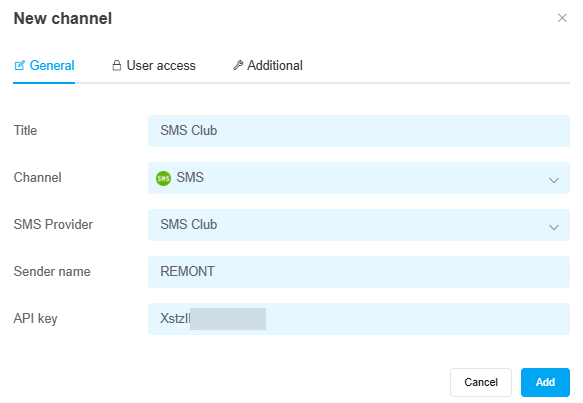
- Title — enter a name for the channel;
- Channel — select the SMS channel type from the list;
- SMS Provider — select SMS Club;
- Sender name — enter the alpha name you copied from your SMS Club account;
Note! The alpha name must be the same as in your SMS Club account. - API key — enter the API token you copied from your SMS Club account:
If necessary, you can also configure user access to the channel.
Additional settings
On the «Additional» tab, enable the «Reassign manager» toggle if you want to automatically assign a manager to the chat after a message is sent.
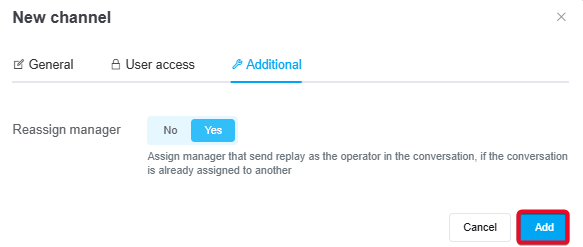
After entering the information, be sure to click the «Add» button, and your channel will be ready to go!
Now you can notify your customers about their order status, send them the waybill number, and provide other important information by creating message templates. To streamline the process, set up automatic message sending.
