Plata by mono is a payment processing service from Monobank that enables businesses to accept payments for products and services using bank cards. You can integrate transaction statements from this service into keyCRM and quickly check incoming payments from your customers.
You can also integrate statements from Monobank accounts for other transactions.
Important! A separate token is generated for connecting the acquiring service. Do not use the token that was created for connecting account statements.
Step 1. Obtain an API key from Monobank
To obtain a token for integration:
-
Log in to the web portal at web.monobank.ua;
-
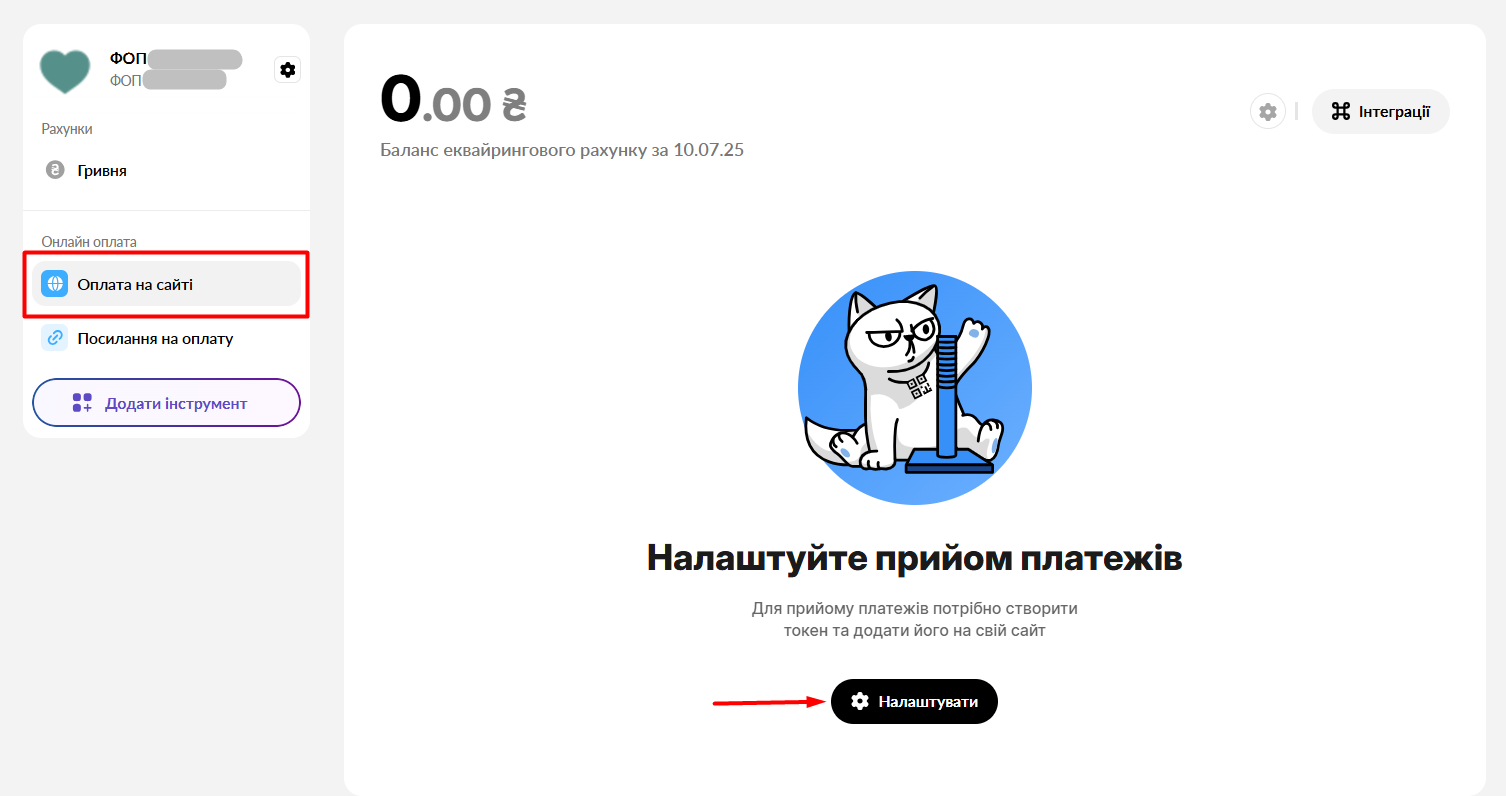
In the left-hand menu, go to the «Payment on Website» tab. If it’s not there, enable it by clicking the «Add Tool» button;
-
Click «Configure» to proceed with creating the token.
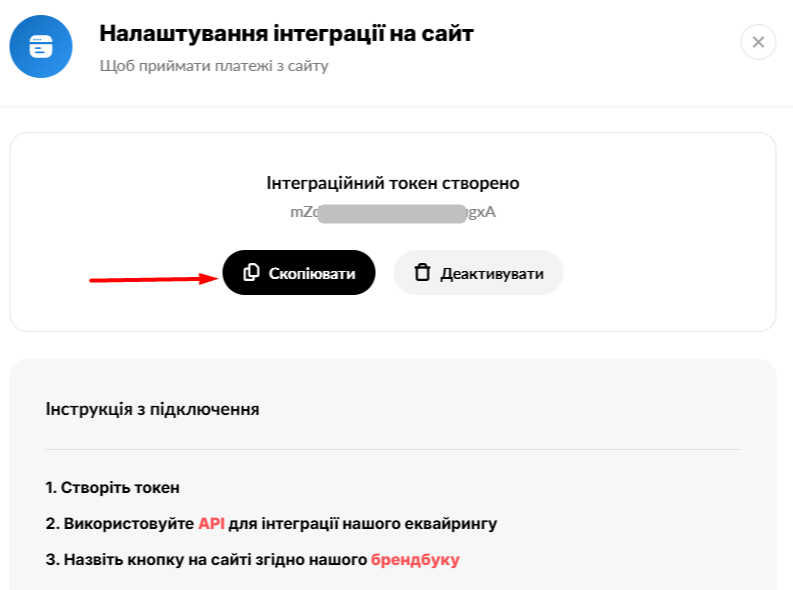
Next, click «Create Token» and «Copy» to paste it into the settings in the next step for connecting:
Step 2. Connecting Plata by mono acquiring to keyCRM
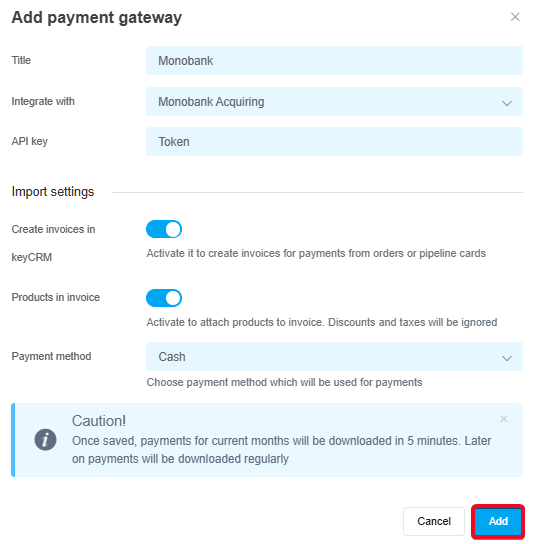
Go to the «Settings» → «Finance» → «Payment gateways» section and click the «Add payment gateway» button.
In the window that opens:
-
Title — enter a descriptive name for the payment gateway;
-
Integrate with — select Monobank Acquiring;
-
API Key — enter the token (API key) you copied from Monobank;
-
Issue Invoices — toggle this switch on if you need to generate invoices from keyCRM;
- Products in invoices — toggle this switch on if you need to include product information in the invoice;
Note! If you have the check by mono POS system enabled, be sure to activate this toggle to include products in the invoice and ensure that fiscalization is performed correctly via mono. -
Payment method — select the payment method under which payments will be saved in the system;
-
Click the «Add» button to save the settings:
Once you've added the payment service, it will appear in the list. Transactions for the current month will load within 5 minutes, and payments will then be automatically updated every 15 minutes.
Now you don't need to log in to Monobank to see incoming payments. All payments for linked accounts will appear in the «Sales» → «External Transactions» section.
Don't miss any payments — add them in just a few clicks to orders or general expenses.
