Viber is one of the most popular messaging apps, so we've added integration with it so you can process orders and chat with customers all in one window.
Viber charges €100 per month for this service, plus additional fees based on the number of messages.
However, bots created before this date continue to function as usual, and by following these instructions, you can edit them and integrate them into your CRM.
How to set up a bot
Make sure you're logged into the Viber messenger on one of your devices, as the authorization code will be sent there.
Go to the control panel of your Viber Partner account by entering your phone number, clicking «Login», entering the password you received in Viber in the window that appears, and clicking «Next».
Next, you can select the desired bot, open its settings, and fill in the fields:
-
Account Image: here you can upload a photo of your bot (this can be a company logo or an online store logo, size 400x400);
-
Account Name: Come up with a name for the bot so that customers understand it’s your store;
-
URI: The name in the link, for quick search;
-
Category and Subcategory: Select topics from the list provided;
-
Language: Language;
-
Account Description: Description of the bot;
-
Website Address: Link to your website/online store;
-
Email Address: for contacting you;
-
Location: location;
-
The account contains adult content: check this box if the content is 18+;
-
I accept the Terms and Conditions: accept Viber’s terms of service.
-
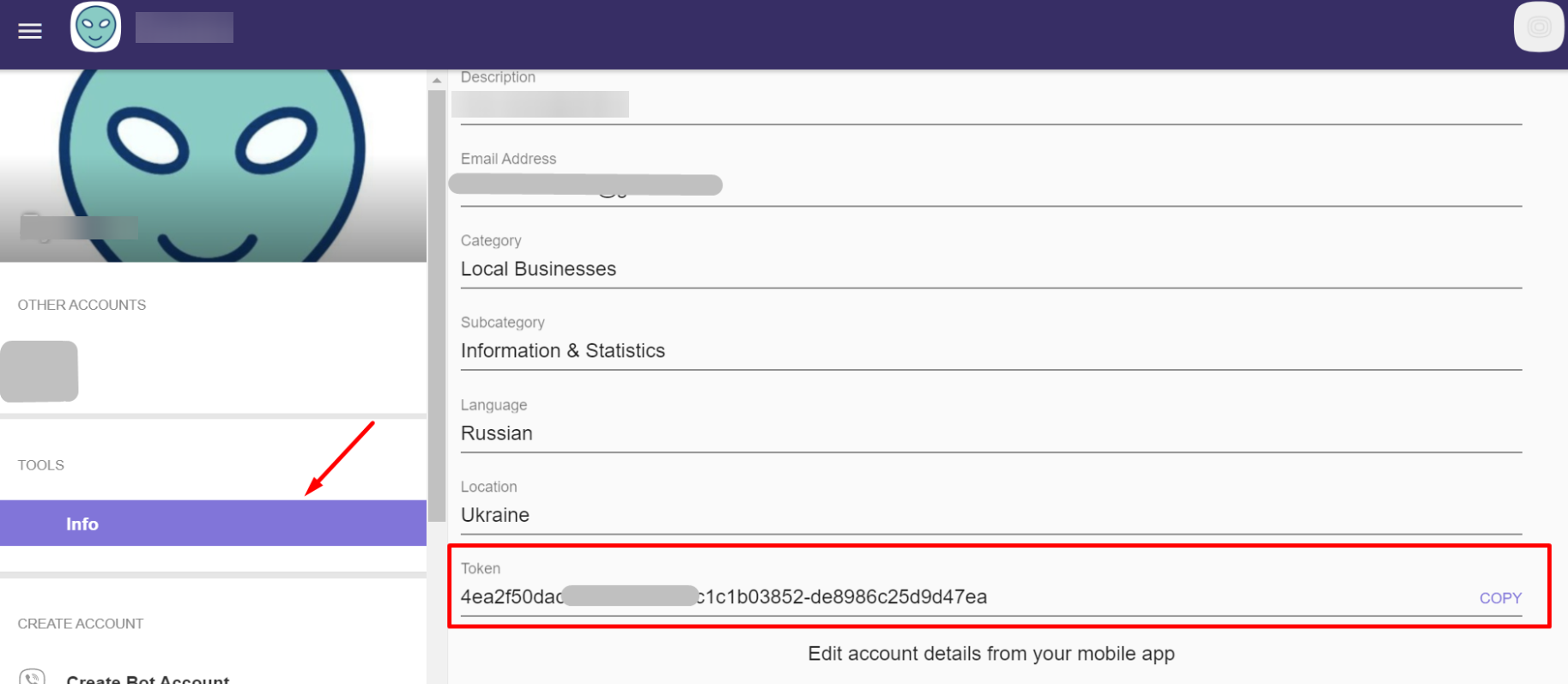
Token: The bot’s API key is required for integrating Viber with KeyCRM.
How to create a link to a bot
Creating a link for a Viber bot is as simple as can be — all you need to do is add the URI of the bot you just created at the end of a standard link like viber://pa?chatURI=.
However, not all devices support this link format, so you can modify it. To do this, we recommend using link shortening services, such as cutt.ly.
