If you created a bot before this date, you can connect it to your CRM by following the instructions below. New bots are also available for connection, but for now without the additional features they offer.
Connecting a Viber bot to your CRM allows you to conduct conversations directly within the dashboard, quickly create or find customers in the database, and process orders right within the chat. This speeds up order processing and reduces the risk of losing orders, saving time and resources.
Step 1. Get your bot's API key
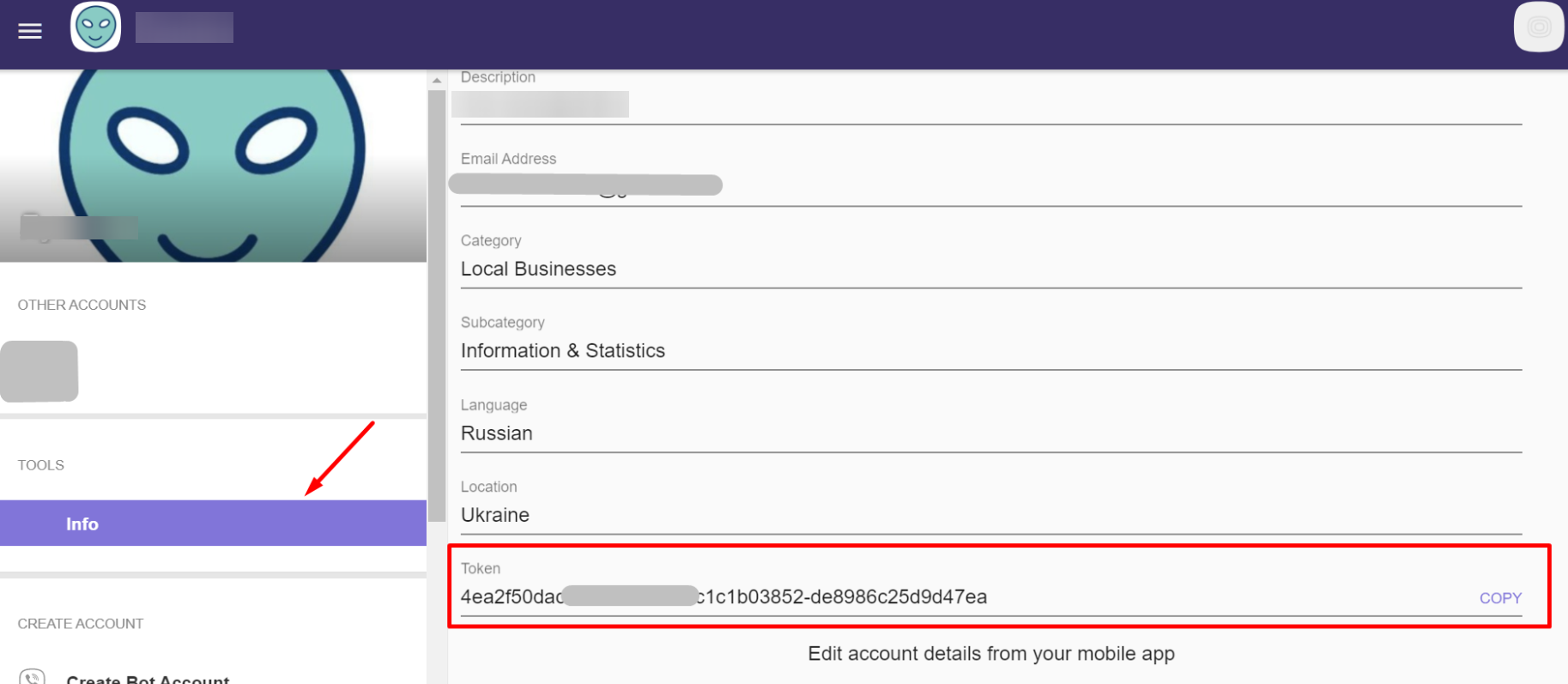
Go to the website https://partners.viber.com/, log in to your account, select the bot you need, go to the «Info» section, and, at the very bottom, copy the key from the «Token» field. Then proceed to the next step.
Step 2. Connecting the bot to keyCRM
Go to «Settings» → «Communications» → the «Chats / SMS / Email» tab and click «Add new channel».
In the window, on the «General» tab, fill in the fields:
-
Title — enter any name for the channel;
-
Channel — select the «Viber Bot» channel type;
-
API Key — paste the bot’s API key that you copied earlier;
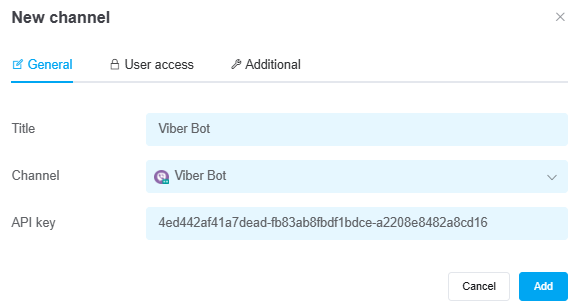
Once you've entered all the necessary settings, click the «Add» button. The channel will appear in the list, and all messages received after the connection is established will start appearing in the chats.
If needed, you can also configure user permissions for the channel and additional settings for its operation.
To start receiving messages:
1. Disconnect the other service. The bot should only be connected to keyCRM;
2. Disconnect the channel in keyCRM for a few seconds, then reconnect it. The bot will reconnect, and messages will start coming in.
