Western Bid is a trading platform that helps you accept payments in countries where regional PayPal restrictions apply.
How to get your API key
Sign in to your Western Bid account, open «My profile», scroll to the bottom of the page, and generate an API key:
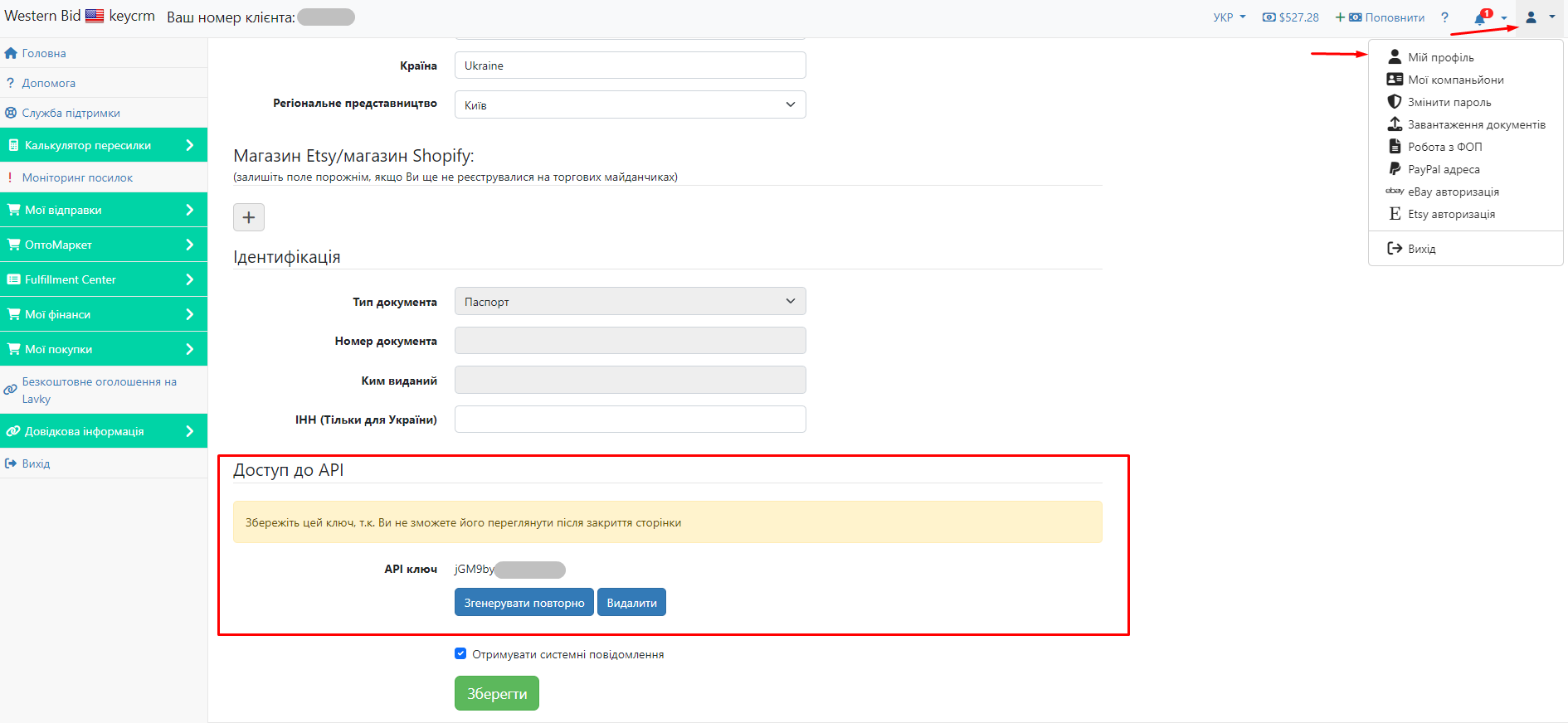
How to receive statements from Western Bid
Go to «Settings» → «Finance» → the «Payment services» tab, then click «Add payment service».
In the window that opens:
- Name — enter a name that is convenient for you;
- Integrate with — select Western Bid from the list;
- API key — enter the API key you generated in your Western Bid account;
- Login — enter the login you use to sign in to your Western Bid account;
- Select the payment type to use when saving payments;
- Save expenses — enable this option if you want expenses to be saved in the order;
- Select the payment types for PayPal and WesternBid fees:
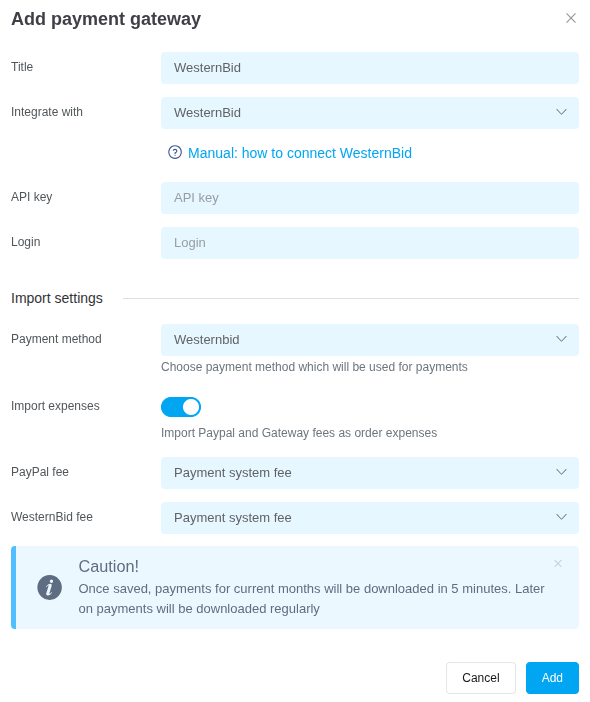
After completing the required fields, click «Add». The payment service will appear in the list.
All payment statements appear in «External transactions» after you arrange a shipment through fulfillment. You can add them to general expenses or order expenses.
Tags: western bid, pay pal, commission, statements, westernbid
