In keyCRM, you can manage funds across multiple accounts, monitor their balances, and perform internal transactions — such as adjustments, transfers, and write-offs.
This allows you to view and track your business’s cash flow without the need for external spreadsheets or additional accounting.
Account display
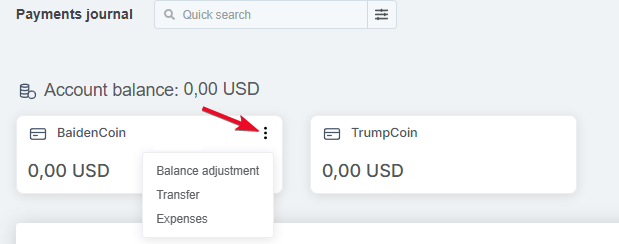
All active accounts are displayed with their type icon, name, and current balance, and next to the section header is the total amount for all accounts in the system currency.
When you hover over an account, the following actions are available:
-
Balance adjustment;
-
Transfer;
-
Expenses — opens the add general expenses window with the account field already filled in.
How to adjust your account balance
Select the «Balance adjustment» action for the account, then fill in the fields in the window:
-
Current balance — enter the current balance in the account currency;
-
Comment (optional) — for additional notes, if needed.
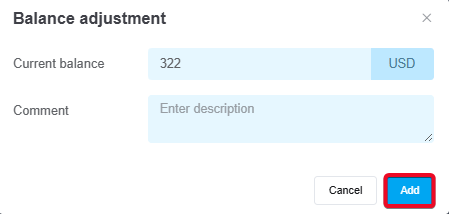
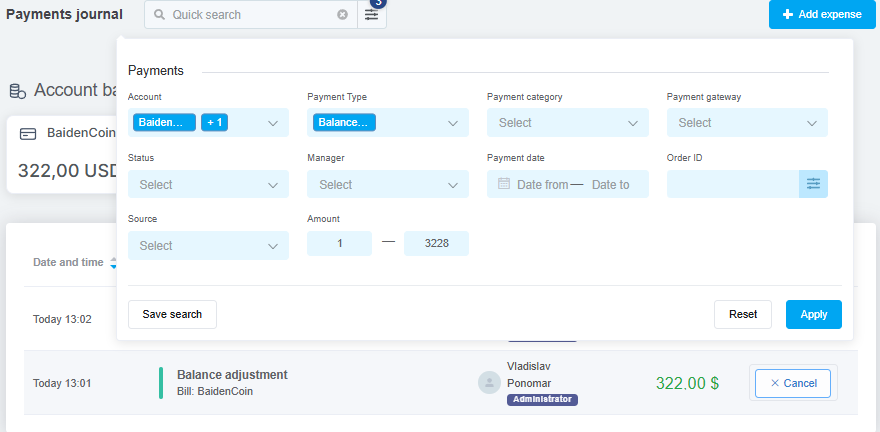
After clicking the «Add» button, the system calculates the difference and generates a payment with the type «Balance adjustment» for a credit (> 0) or a debit (< 0); if the result is zero, nothing happens.
Adjustments can be canceled with a balance recalculation, and such payments are not included in the analytical data:
How to transfer funds between accounts
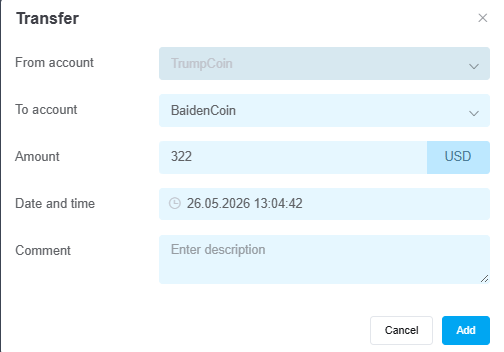
Select the «Transfer» action for the account, then fill in the fields in the window:
-
From account — the account from which funds are being transferred;
-
To account — select the account to which the transfer is being made;
-
Amount — if the accounts are in the same currency, there is one amount field. If they are in different currencies, there are two fields: amount from account and amount to account (converted automatically, can be changed manually);
-
Date and time — set to the current date and time by default, can be changed;
-
Comment (optional) — for additional notes if needed.
When you click the «Add» button, a transfer is created: an entry is generated in the payment journal with the type «Transfer» and all fields filled in. If the transfer is canceled, the balance will be restored. Transfers themselves are not included in the analytics.
Allocating payments and expenses to an account
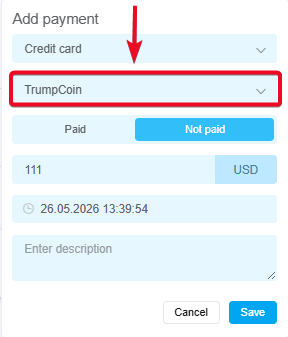
When adding payments or expenses, you can select the account to which they belong.
-
By default, the account is retrieved from settings, but you can change it;
-
The account balance is automatically updated when the status of a payment or expense is changed to «Paid» or «Canceled», taking into account currency conversion at the exchange rate specified in Settings;
-
For unpaid payments, you can change the linked account.