
Даний розділ в keyCRM дозволяє відстежувати всі операції з товарами. Тут будуть відображатися оприбуткування, продаж, повернення, операції швидкого редагування залишків та інвентаризації.
Де подивитися рух товарів
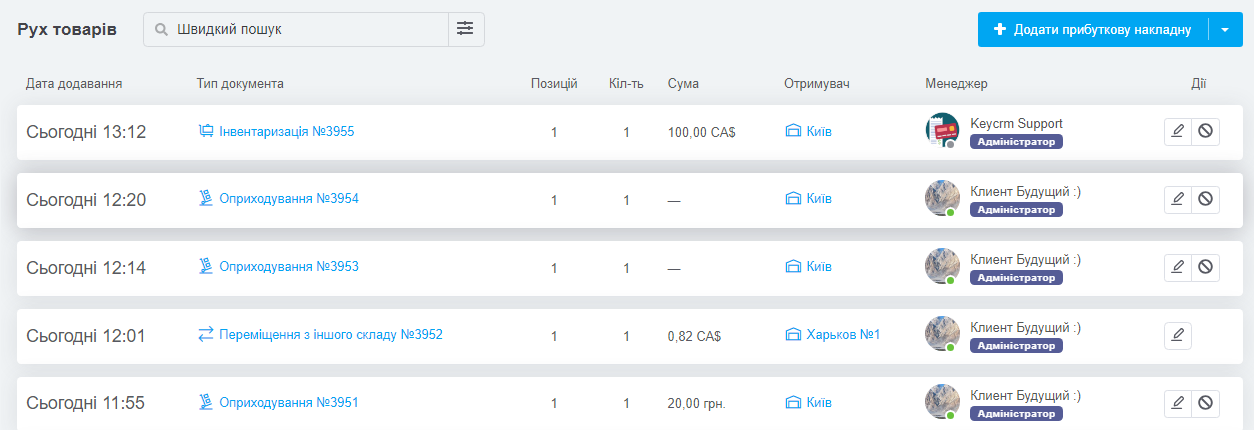
Перейдіть «Каталог» → «Рух товарів», ви побачите список усіх операцій із товарами. У таблиці:
- Дата додавання;
- Тип документа:
- «Редагування» (при швидкому редагуванні залишків);
- «Продаж» (по суті замовлення);
- «Відміна продажу» (при скасуванні замовлення);
- «Оприбуткування»;
- «Інвентаризація»;
- «Переміщення з іншого складу»;
- «Імпорт» залишків з файлу;
- «Оновлення через API». - Позицій — кількість унікальних товарних позицій в операції;
- Сума — рахується залежно від типу операції або за ціною закупівлі або за ціною продажу у валюті операції;
- Отримувач — залежно від типу операції: склад, покупець, або нічого (при швидкому редагуванні);
- Менеджер — той, хто здійснив операцію, або менеджер замовлення для типів «Продаж» та «Скасування продажу».
Як знайти потрібну операцію
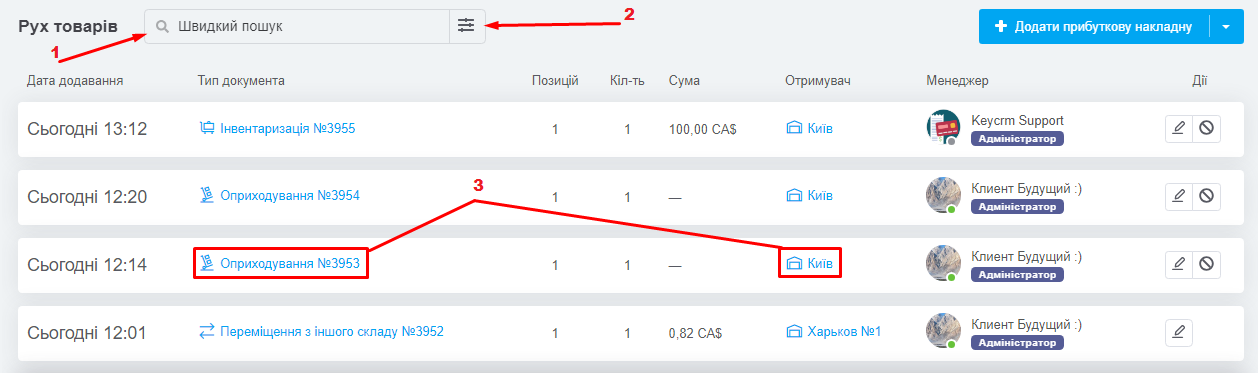
Щоб знайти потрібну операцію використовуйте
- Швидкий пошук;
- Фільтр по події та за датою створення;
- Для перегляду деталей операції, натисніть у рядку з нею на «Тип документа» або «Отримувач».
Які доступні операції у розділі Рух товарів
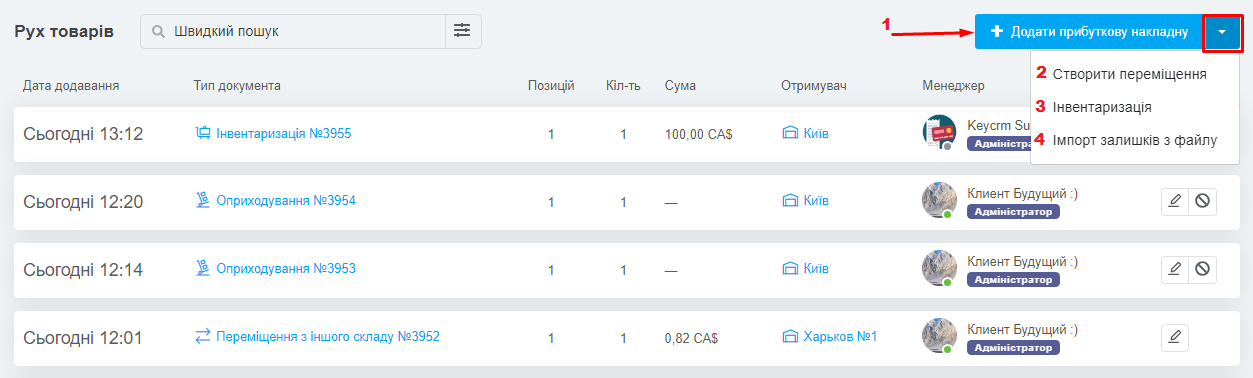
У розділі ви можете провести основні операції з товарами:
- Додати прибуткову накладну;
- Створити переміщення;
- Провести інвентаризацію;
- Імпортувати залишки з файлу.
Теги: рух товару, оприбуткування, імпорт залишків, операції з товарами, переміщення, продаж, відміна продажу, інвентаризація, інвентарізація
