Answer: To fiscalize receipts, complete the following steps:
- Enable the «Fiscalization» field under Settings → Orders → Order fields and set the required permissions.
- Give users who will fiscalize receipts access to the payments field;
- Add order sources in the cash register settings in keyCRM using the «Sources» field.
Answer: Check the customer’s phone number in the order.
- If the number is missing the country code or the + sign, correct it and fiscalize the order again.
- If the number is correct, check whether you changed any settings in Vchasno. If you did, restore the previous settings.
If the issue persists, contact Vchasno support to check whether there is a problem on their side.
Answer: An item on a receipt must have a price greater than zero. To fiscalize an order with a gift, you can:
- Set the gift price to UAH 0.01 (1 kopiyka);
- Fiscalize the order without the gift, then add the gift to the order items after the receipt has been created.
Answer: Configure an automatic fiscalization trigger and complete all required fields in the trigger.
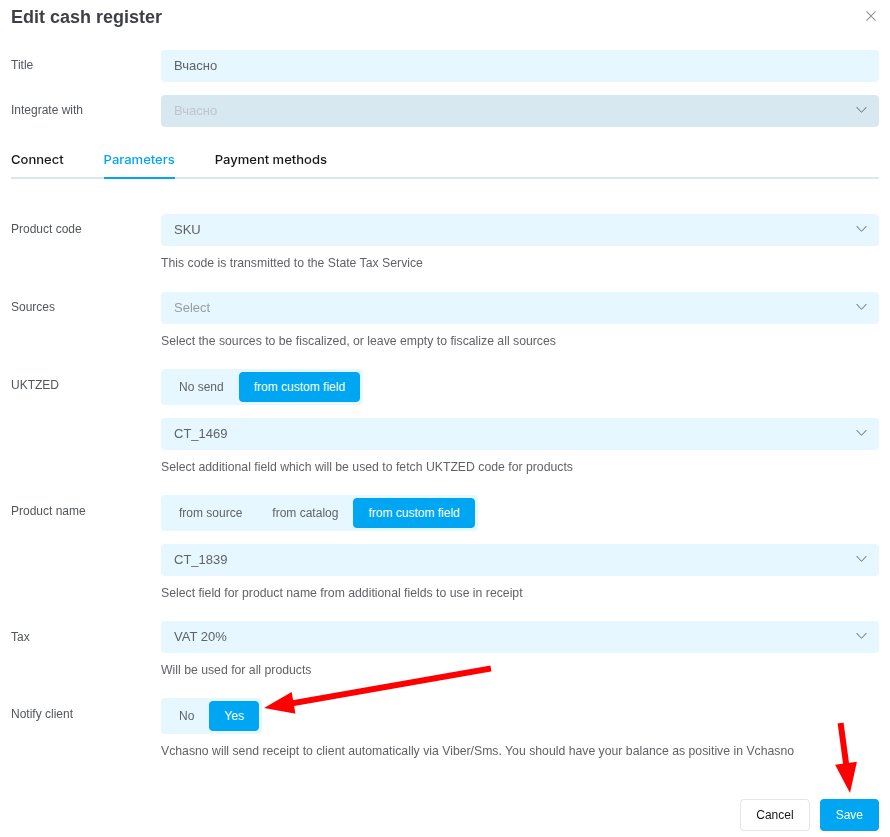
Answer: Vchasno automatically sends receipts by email only.
If needed, enable receipt delivery via Viber/SMS in the cash register settings in keyCRM.
Answer: The fiscalization type determines how receipts are generated for this payment method:
-
Prepayment:
- The receipt contains one item named «Prepayment for order No. ***» for the payment amount;
- The comment contains: «Order No. ***: item name (price, currency, quantity)»;
- The order number from the source is used. If it is unavailable, the keyCRM order number is used.
-
Postpayment:
- The receipt includes a discount equal to the prepayment amount, labeled «Prepayment for order No. ***»;
- Prepayment amount = total order value − payment amount;
- The comment contains: «Received under prepayment receipts: prepayment amount, currency. - fiscal_code [prepayment receipt code]: prepayment amount, currency»;
- The order number from the source is used. If it is unavailable, the keyCRM order number is used.
-
Full payment: A receipt is created for the full order value with the complete list of items.
You can configure triggers to send fiscal receipts from keyCRM and create your own message template for delivery.
Answer: Add this payment type to the settings of the specific cash register you are using to fiscalize the receipt.
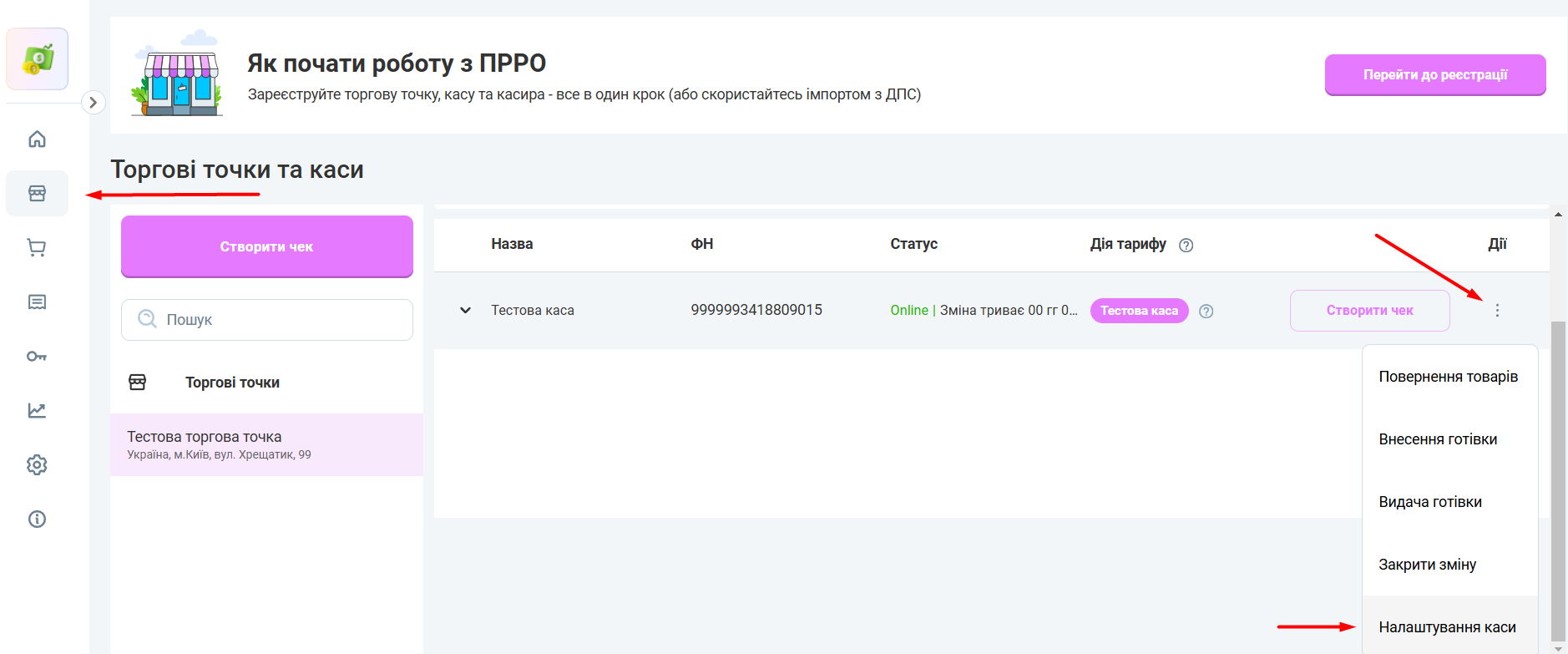
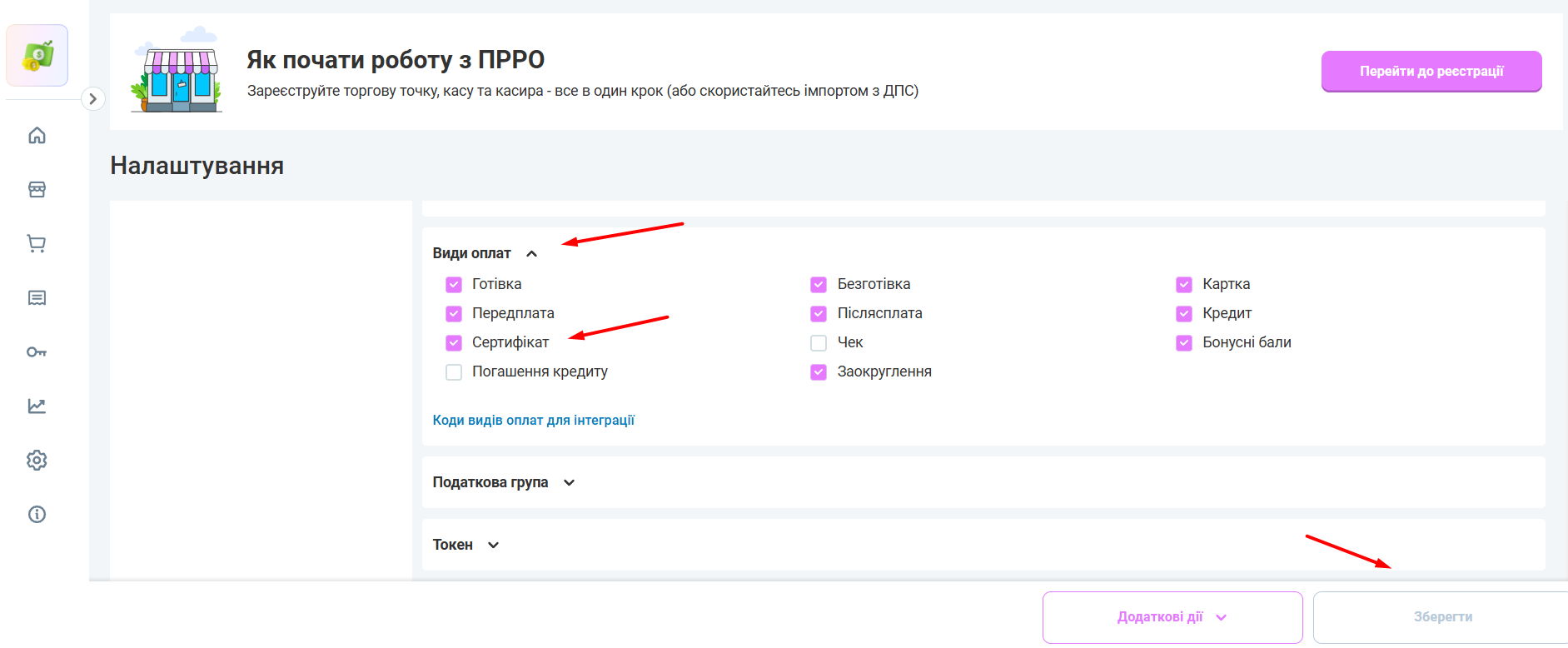
Answer: Contact Vchasno support to resolve this issue.
9. Why do I get an “Insufficient funds” error?
Answer: Starting June 1, Vchasno is introducing paid support for Vchasno Kasa.
The virtual cash register service requires substantial resources to maintain uninterrupted communication with the State Tax Service, protect your data, and provide ongoing technical updates. Moving to a paid model helps cover these costs and improve the continuity and reliability of your cash register.
Email notices and mobile app notifications were sent throughout May.
Open the Balance tab in your account in a browser at https://kasa.vchasno.ua/app/company/settings/balance-info/generate-bill to view your remaining funds, select a current plan, generate an invoice, or top up your balance using a bank card.
