PrivatBank is the largest bank in Ukraine. By connecting it, you’ll receive payment statements for your sole proprietorship or LLC in your keyCRM dashboard and will be able to add payments to orders and expenses with just a few clicks.
Step 1. Obtaining connection details from PrivatBank
-
Log in to your account on Privat24 for Business and select the company for which you need access to view statements.

If you're currently using the old interface, switch to the new version for a better experience.
-
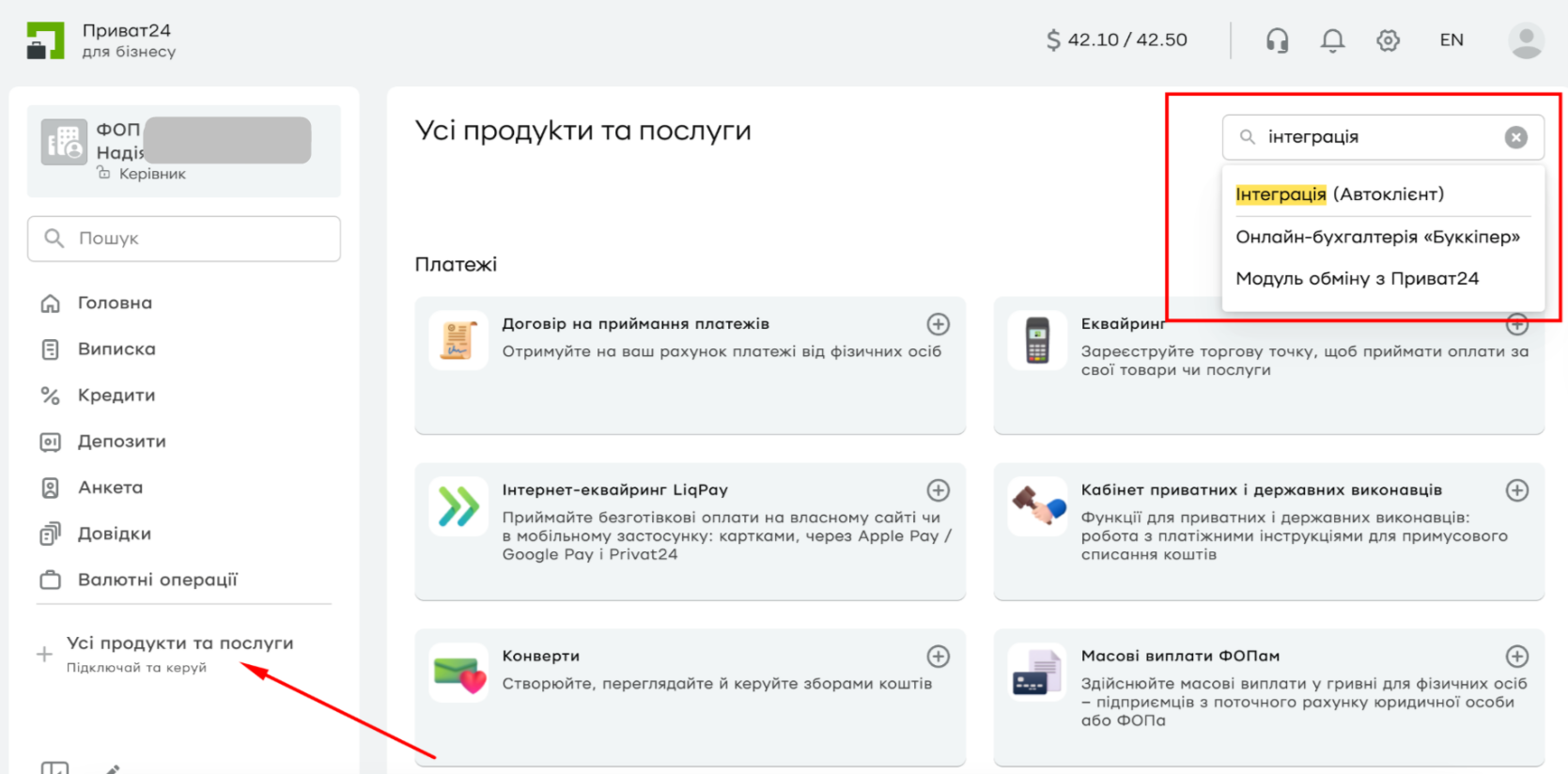
Then, go to the «All Products and Services» section in the side menu and find «Integration (AutoClient)»:
-
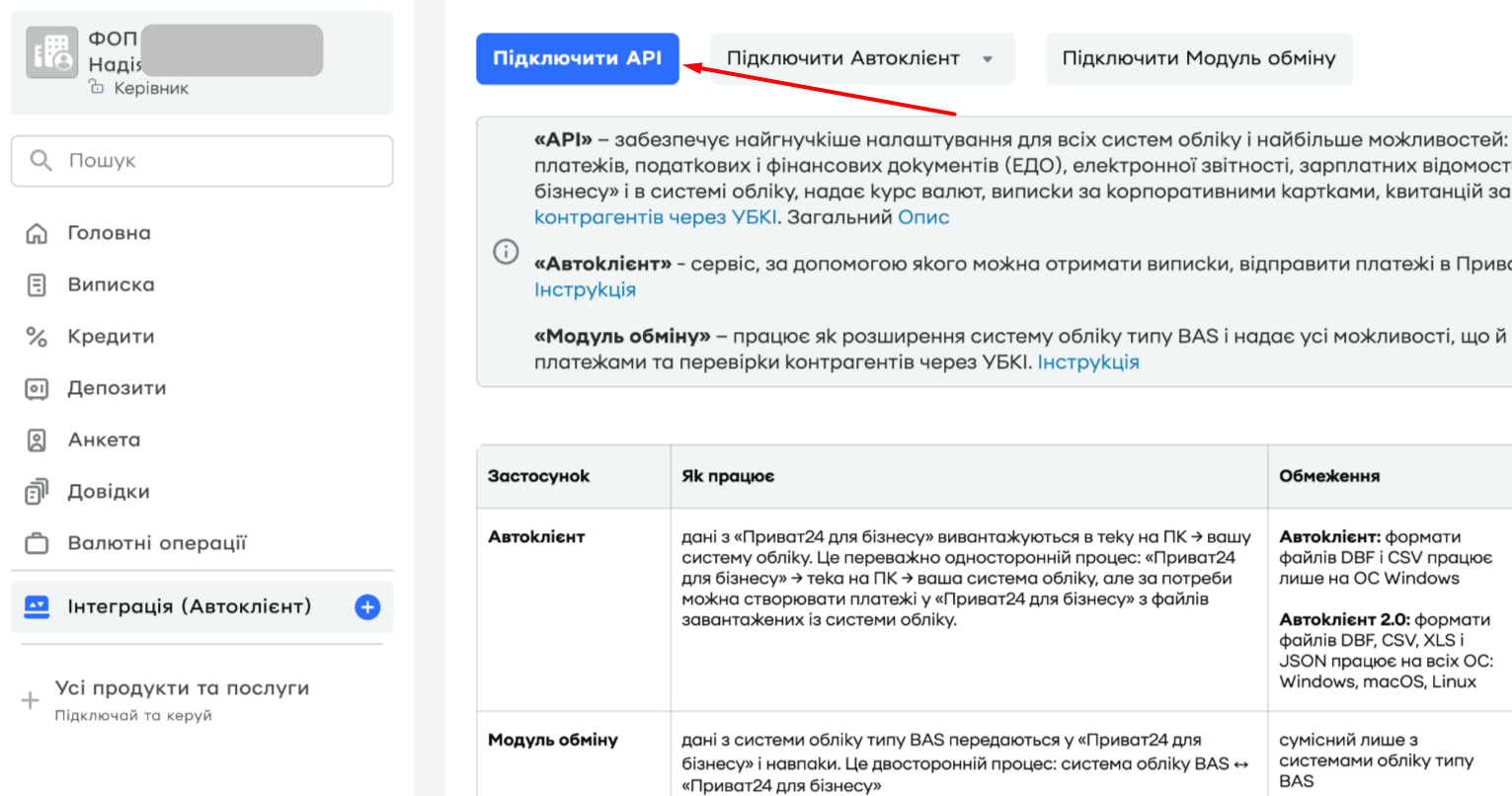
Click the «Connect API» button on the Integration service page:
-
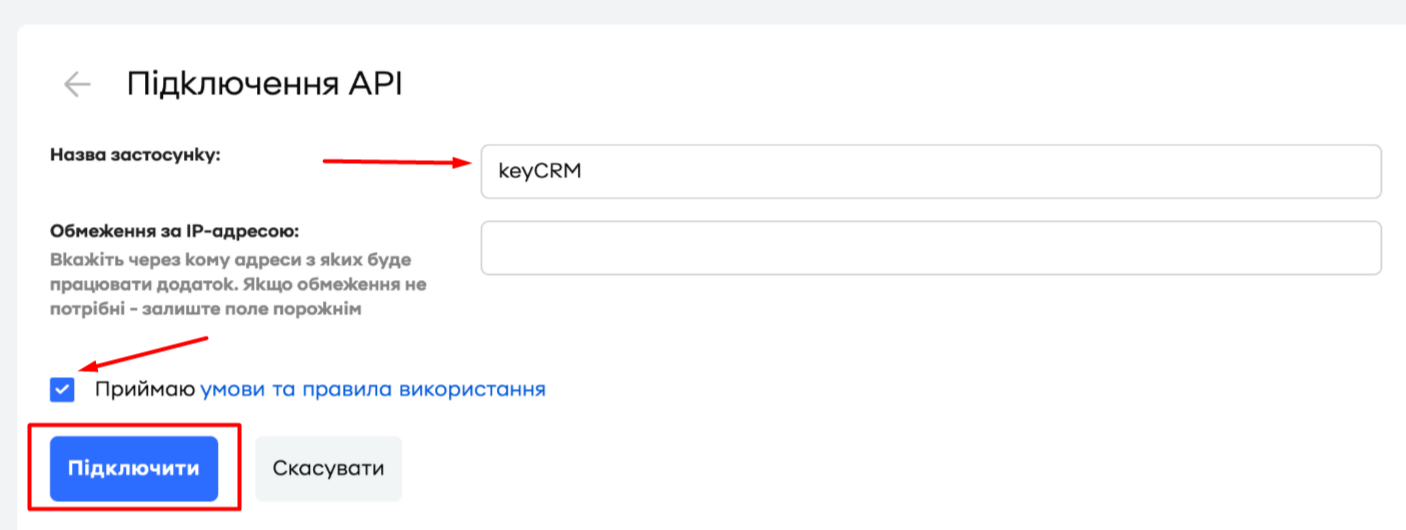
In the «App Name» field, enter any name you like. Next, at the bottom of the window, check the box next to «I accept the terms and conditions of use» and click «Connect»:
-
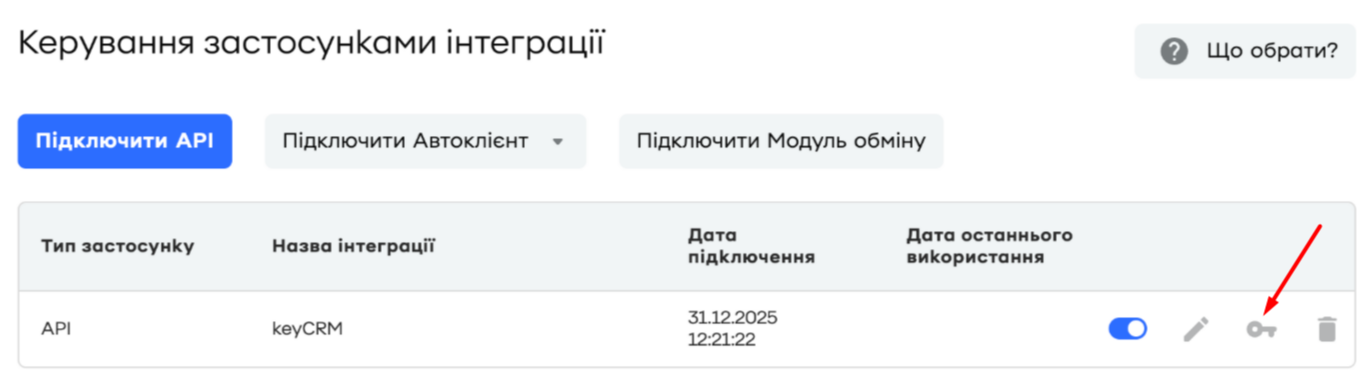
Then click the «Install» button next to the app you just created:
-
Click the «I Agree» button to accept the terms and conditions if this window appears:
-
Next, go to the «ID and Token» tab, and a window will open with the information needed for integration:
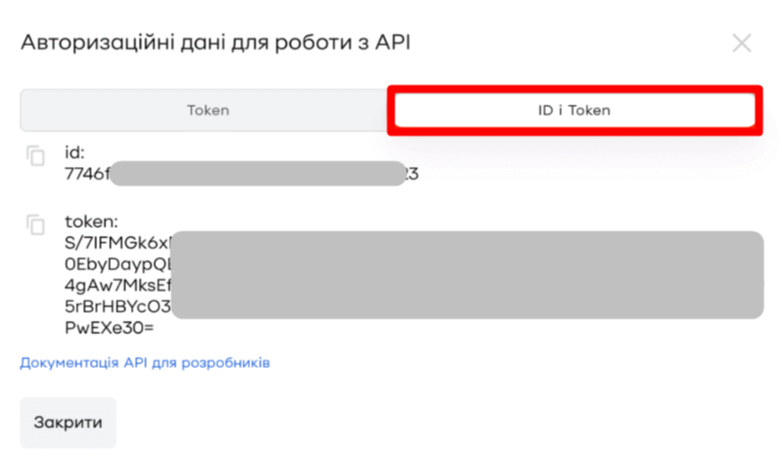
Leave the tab open and proceed to the next step.
Step 2. Connecting to keyCRM
Go to «Settings» → «Finance» → the «Payment gateway» tab and click the «Add payment gateway» button.
In the window that opens:
-
Title — enter a descriptive name for the payment gateway;
-
Integrate with — select Privatbank Business;
-
Merchant ID — paste the value copied from the «id» field of the application you created in your Privat24 account;
-
Token — paste the value copied from the «token» field of the application you created in your Privat24 account;
-
IBAN account — enter the IBAN number of the account for which you want to receive statements;
-
Payment method — select the payment method under which payments will be stored in the system;
-
Click the «Add» button to save the settings:
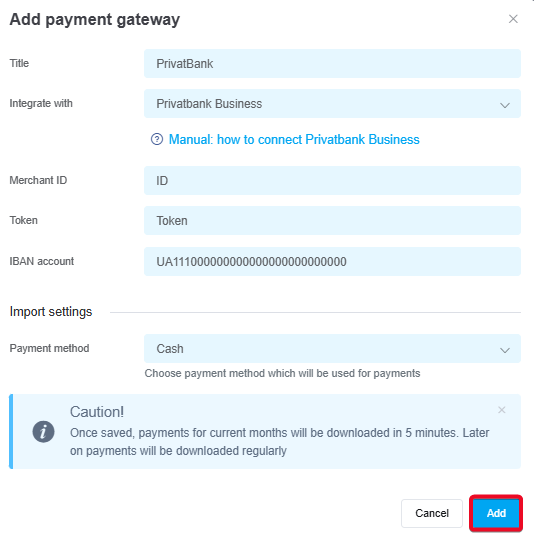
Once you've added the payment service, it will appear in the list. Transactions for the current month will be loaded within 5 minutes, and payments will then be automatically updated every 15 minutes.
Now you don't need to log in to Privat24 to see incoming payments. All payments for linked accounts will appear in the «Sales» → «External Transactions» section.
Don't miss any payments — add them in just a few clicks to orders or general expenses.
