Payments journal is a section that contains all of the company's financial transactions: payments, expenses, balance adjustments, transfers between accounts, and so on.
It helps you track the flow of funds within the system without the need for external spreadsheets or additional accounting.
Where financial transactions are recorded
Go to the «Sales» → «Payments journal» menu. In this section:
-
Quick search by amount and filters — to select the desired period, account, user, transaction type, etc.;
-
«Add expense» button — to enter general expenses;
-
Account balance — total balance and balance of each active account;
-
List of payments — a table of all financial transactions.
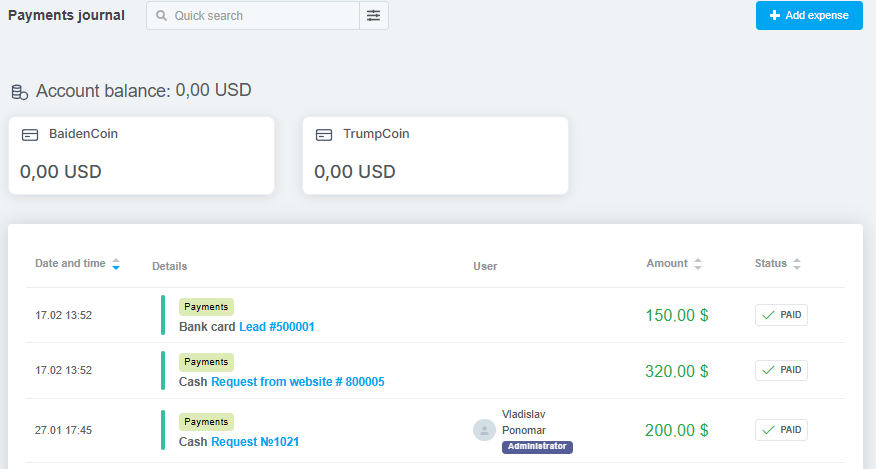
List of payments
Below the billing section, a table displaying all financial transactions appears:
-
Payments from orders and pipeline cards (added manually, via API, POS, or integrations);
-
Expenses — general or order-related (added manually, via API, or integrations);
-
Account transactions — adjustments, transfers, and debits.
The table displays the following information for each payment:
-
Date and time;
-
Payment details — payment type, category, and (if available) description, account, and link to the order or pipeline card;
-
User — who created or confirmed the payment;
-
Amount — in the payment currency: green indicates a credit, red indicates a debit;
-
Status — paid, not paid, canceled.
All payments recorded in the journal are automatically included in financial analytics.
