Finmap is a financial accounting and planning service that helps businesses track income and expenses.
Integration with keyCRM lets you automatically send transactions to Finmap, avoid manual data entry, and keep your financial information up to date for reporting and control.
How to connect the integration
The integration is configured by Finmap support. To request a connection, prepare the following information:
- Your keyCRM API key from «Settings» → «General»;
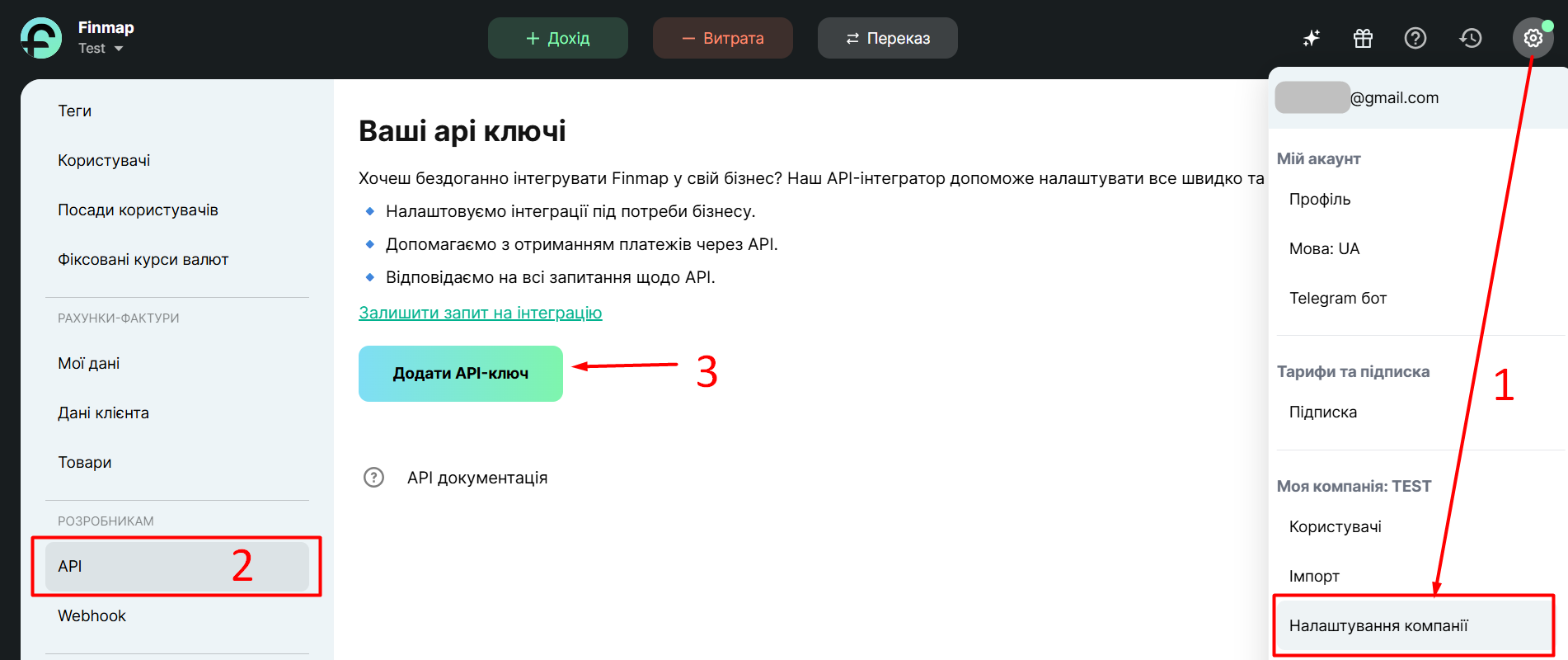
- Your Finmap API key from «Company settings» → «API» (add a new key or copy an existing one):
- The account ID or name in Finmap (see the video: https://support.finmap.online/wp-content/uploads/2025/08/0831.mov);
- The synchronization start date (for example, January 1, 2025);
- Your keyCRM domain: copy the part of the URL before
.keycrm.appfrom your browser’s address bar.
Send Finmap support a request to connect the integration, including all the information listed above.
How the integration works after activation
First run — all transactions are imported starting from the selected date.
Automatic updates — synchronization runs every hour. If errors occur, it retries every 15 minutes. Only new, completed transactions are sent.
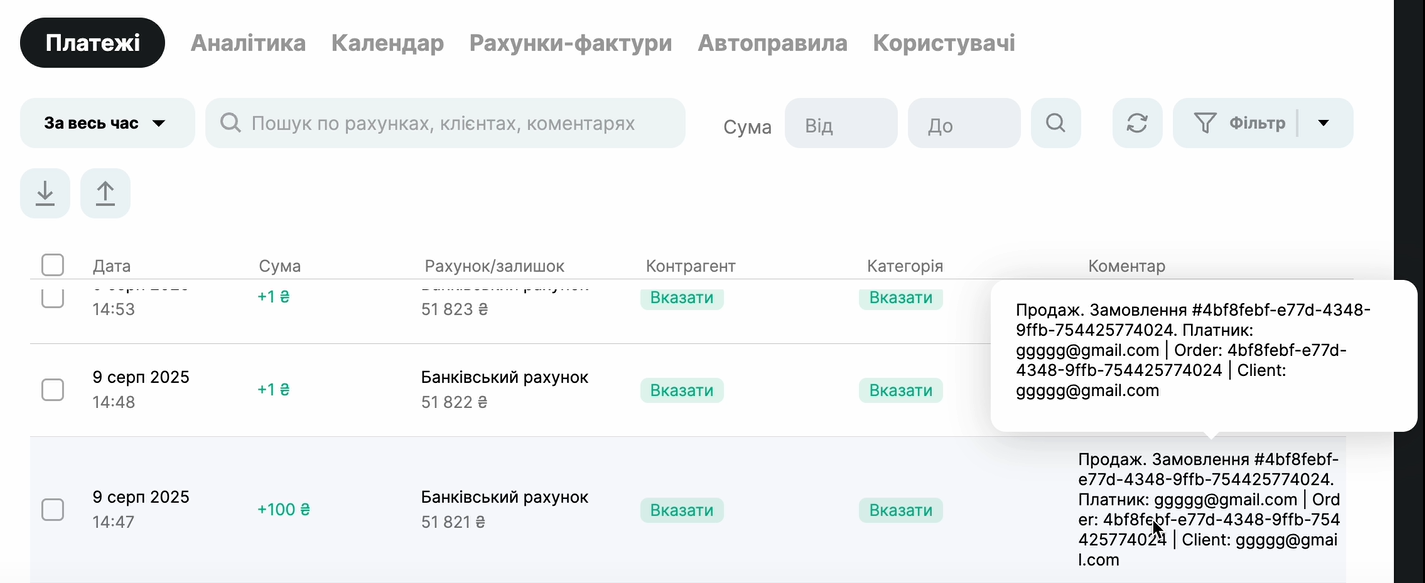
Display in Finmap — all keyCRM transactions appear in «Payments». Income is shown as «Income» and expenses as «Expense». Transactions are automatically linked to the selected account, such as «Cash» or «Bank». Basic transaction details appear in the comment, and you can add more information as needed:
What data is sent from keyCRM to Finmap
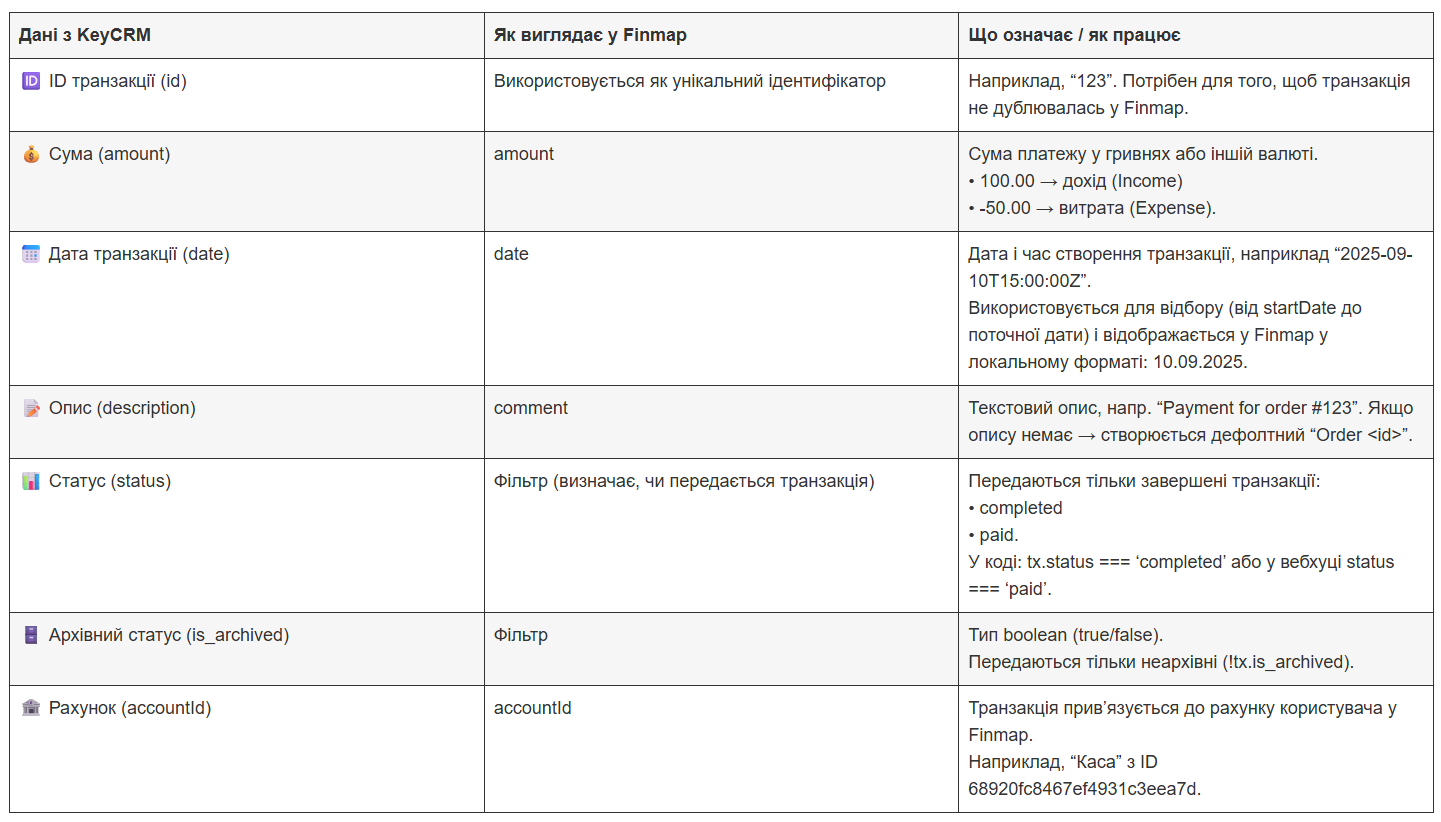
Field mapping:
-
Account → accountId;
-
Amount → amount (automatically identified as income or expense);
-
Date → date (in Finmap’s format);
-
Comment → description.