If the exchange rate, which is automatically updated in the system and corresponds to the interbank rate, differs significantly from the market rate, you can set it manually.
This will ensure that your sales and purchase prices are converted correctly.
How to set your own exchange rate
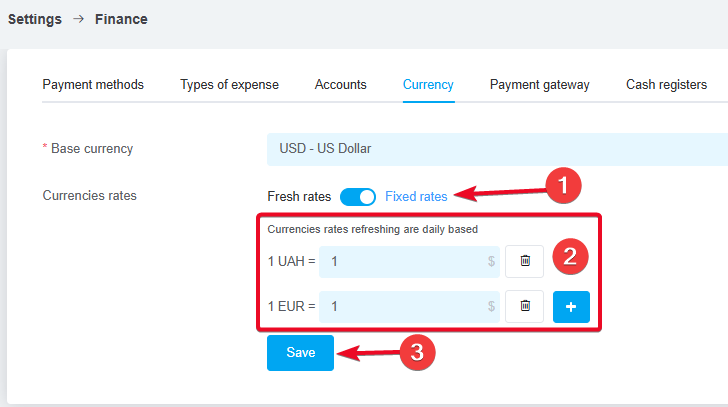
To set your exchange rate, go to «Settings» → «Finance» → the «Currency» tab, select the default currency for your account, and:
-
Click the «Fixed rates» toggle;
-
Add the desired currency and enter the exchange rate relative to the system's primary currency in the fields;
-
Be sure to click the «Save» button.
Once the exchange rates are saved, they will be applied to orders, pipelines, products, and inventory. Automatic conversion at the exchange rate occurs when a product in a different currency is added.
